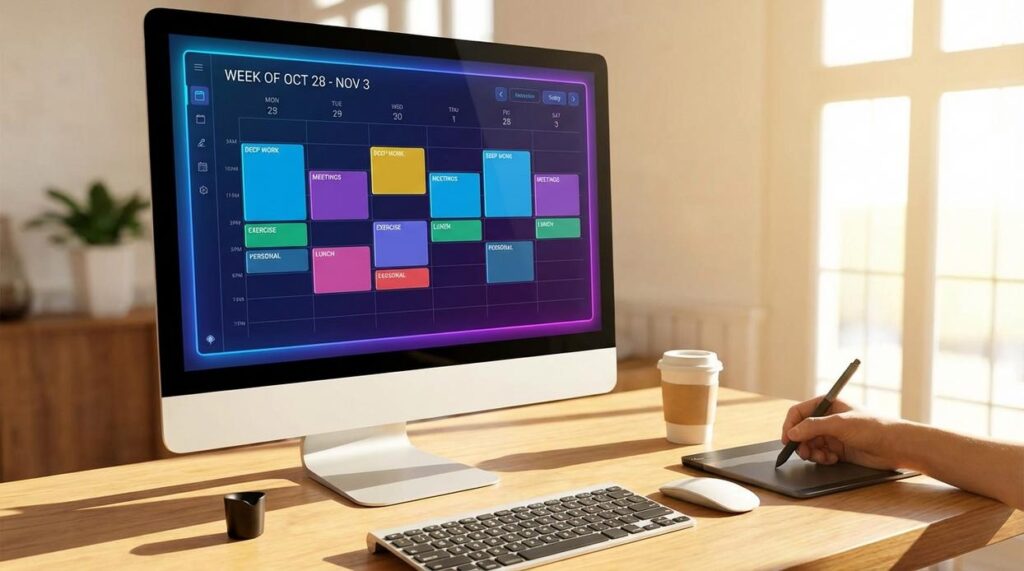
Your day shouldn’t feel like a nonstop reaction to pings, emails, and endless tabs. Yet digital noise and constant context-switching leave most professionals busy but rarely productive. This guide to time blocking with tech shows you how to reclaim control using the very tools competing for your attention. Instead of relying on static planners, you’ll build an integrated system of calendars, task managers, and focus apps that actively protect deep work. We’ve analyzed leading productivity research and tested top digital workflows to deliver a practical, distraction-resistant framework you can configure today for measurable, consistent results.
Beyond the Paper Planner: Why Analog Time Blocking Is Obsolete
Time blocking, at its core, means assigning every task a specific slot on your calendar before the day begins. In theory, it’s simple. In practice? “I wrote it down, but I still didn’t do it,” a product manager once told me. That’s the quiet flaw of paper planners—they’re passive.
The Failure Points of Analog Systems
A notebook can’t reshuffle your 2 p.m. deep-work session when a client call explodes onto your schedule. It can’t ping you with a reminder. And it definitely can’t stop you from drifting into Instagram (we’ve all been there). As Cal Newport defines it, “Deep work is professional activities performed in a state of distraction-free concentration” (Newport, 2016). Paper doesn’t enforce that state.
Some argue analog systems are “less distracting” because they’re offline. Fair. But offline also means isolated—no syncing, no automation, no guardrails.
- Paper plans record intention; they don’t defend it.
From Passive Planning to Active Enforcement
The real shift is from planning to protection. Modern tools don’t just list tasks—they build a fortress of focus around them. When you use time blocking with tech, apps can silence notifications, auto-reschedule conflicts, and even restrict distracting sites. “It’s like putting my calendar on autopilot,” one founder said.
That’s not overkill. That’s evolution.
Your Essential Time Blocking Toolkit: The Digital Foundation
The Calendar as Your Command Center
If you’re serious about productivity, a digital calendar is non-negotiable. Google Calendar or Outlook Calendar isn’t just for meetings—it’s your operational HQ. I’ve tried analog planners (they look great on Instagram), but nothing beats the flexibility of digital.
Use:
- Color-coding for clarity (deep work in blue, meetings in red, admin in gray)
- Recurring blocks for routines like weekly planning
- Multiple reminders so nothing slips through
Some argue that rigid scheduling kills creativity. I disagree. Structure creates freedom. When your deep work block is protected, your brain relaxes. You’re not wondering what to do next—you’re executing.
Task Manager Integration for Seamless Workflow
A calendar alone isn’t enough. Pair it with a task manager like Todoist, Asana, or Microsoft To Do. This is where use time blocking with tech becomes practical, not theoretical.
Keep a master task list, then drag and drop tasks into open time slots. That simple act forces realism. Eight hours of tasks won’t fit into three free hours (math wins every time).
Some people prefer mental to-do lists. But memory is unreliable. External systems scale; willpower doesn’t.
The Note-Taking Nexus for Context
Finally, connect a digital notebook like Notion, Evernote, or OneNote to your calendar events. Attach research, briefs, and links directly to time blocks.
No more frantic tab-hunting five minutes before a call. Everything lives where the work happens. And honestly, once you experience that level of frictionless focus, going back feels impossible.
Deploying Digital Do Not Disturb Zones
Deep work requires more than willpower; it requires friction against distraction. App and website blockers like Freedom, Cold Turkey, and LeechBlock create digital barriers between you and your worst impulses (yes, even “just one quick scroll”). These tools let you schedule recurring blocking sessions that align with your calendar’s focus blocks. When your Deep Work session begins, distracting sites simply don’t load. Pro tip: schedule blocks to start five minutes before your session to prevent last-minute “quick checks” from bleeding over.
This is where many people push back. “Isn’t that extreme? Shouldn’t I just build discipline?” In theory, yes. In reality, environment beats motivation almost every time. By automating boundaries, you conserve mental energy for meaningful tasks instead of fighting temptation.
Automated Focus Triggers with IFTTT or Zapier
Automation platforms like IFTTT or Zapier let your devices respond instantly to a focus cue. For example:
- When a Google Calendar event titled “Focus Block” begins, silence your Android phone
- Trigger Freedom to block selected websites
- Start a curated “Deep Focus” playlist on Spotify
This approach turns intention into action without extra steps. Use time blocking with tech to ensure your systems activate automatically rather than relying on memory.
Data-Driven Accountability with Time Trackers
Tools like Toggl Track and RescueTime provide objective insight into how you actually spend your hours. Their goal isn’t micromanagement; it’s clarity. If you planned three hours of writing but logged ninety minutes, the data reveals the gap. With that feedback, you can adjust schedules intelligently and strengthen future focus blocks.
The Smart Ecosystem: Wearable Cues and Ambient Computing
Haptic alerts (gentle vibration signals from a smartwatch) let you end one task and start another without grabbing your phone. Instead of a buzzing notification spiral, a single tap on your wrist marks the shift. This is time blocking with tech made subtle.
Ambient computing means devices working quietly in the background. Smart lights can change color temperature to cue behavior.
| Block | Light Tone |
| Focus | Cool blue-white |
| Break | Warm yellow |
Cool light boosts alertness; warm tones encourage relaxation (think sunrise vs. sunset). It reduces friction and preserves cognitive momentum. Across your day.
From Reactive Chaos to Proactive Control
You came here looking for a way to stop reacting to distractions and start owning your schedule. Now you have the blueprint. By implementing time blocking with tech, you transform a simple calendar habit into a powerful, integrated productivity system.
Digital distraction is the silent killer of focus. Constant notifications and scattered tools make even the best intentions fall apart. This ecosystem—calendars, task managers, focus apps, and automation—solves that by protecting your attention at every level.
Don’t let another week slip into reactive chaos. Start today: install a website blocker, schedule one deep work session, and test the system. Take control now and feel the difference immediately.